
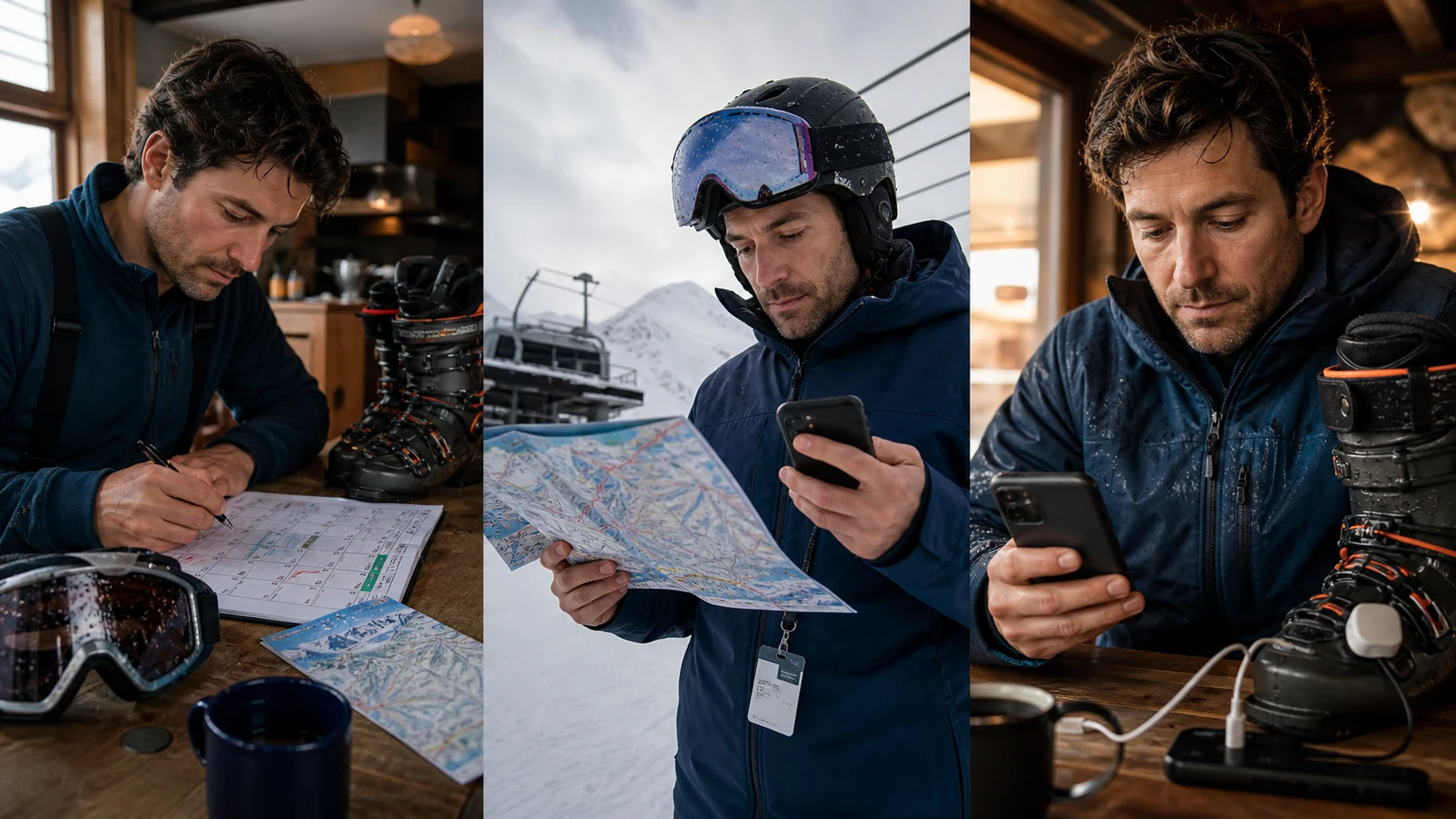
A piste map cannot explain the load on your legs. A GPS tracker does not know whether a lift has closed. A weather forecast is not an avalanche bulletin. A training app does not automatically record your day on the mountain. That is why “What is the best ski app?” is too broad to be useful.
Start with the result you need. Match it to a category, then compare individual products. One app may cover several roles, but every important decision still needs an authoritative source and a visible limit.
Make the choice in one minute
Answer these four questions in order. Product names come last.
What decision are you trying to make?
Do you need to know what is open, what the weather may do, what you skied, how you moved or how to prepare before the trip?
Who publishes the authoritative information?
The resort usually publishes lift and closure information. A regional warning service publishes its avalanche bulletin. Your recorded route comes from the device or tracker you chose.
What must work without a signal?
Separate downloaded maps, ongoing GPS recording, stored bookings and live updates. “Works offline” rarely applies to every feature in an app.
What must the app not claim?
Write down the main limit: a tracker does not measure technique, a statistic does not prove readiness, and an information service cannot guarantee safety.
Eight categories for eight different jobs
Start with the decision in the table. The cards below add device requirements, the offline question, current examples and the most important limitation.
Swipe sideways to see the full table.
| Your job | Suitable category | Typical output | Main limit |
|---|---|---|---|
| Check operations at the actual destination | Official resort app or website | Lift and trail status, official map, alerts and, at some resorts, access, parking or bookings | Authoritative only for the listed resorts and functions |
| Record runs, route and the ski day | Ski tracker | Depending on the device: route, time, distance, vertical, speed, runs and history | Recorded and calculated values are not a technique or safety assessment |
| Understand weather and snow information | Weather and snow-information service | Forecasts, snowfall reports, weather maps, webcams, alerts and uncertainty context | A forecast is not current resort operations or an official avalanche bulletin |
| Find official regional hazard information | Official avalanche-warning or hazard-information service | Regional bulletin, danger level, aspects, elevation bands and explanatory situation information | Information is not a guarantee or an individual route clearance |
| Analyse movement or pressure patterns | Technique and feedback system | Depending on the system: pressure, movement or video analysis and live or post-run feedback | The result depends heavily on the sensor, model, situation and interpreted movement |
| Prepare physically for the ski trip | Training and recovery app | Training plan, load and recovery context, exercise guidance or suggested adjustments | It does not automatically record the ski day and only knows the data you provide or allow |
| Manage passes, bookings and the trip | Booking and organisation app | Pass or ticket access, reservations, payments, meeting points, documents and destination information | A confirmed booking says nothing about weather, fitness or whether a route suits you |
| Collect, share and compare ski days | History, community or social app | Activity archive, personal comparisons, groups, shared maps or statistics | Comparisons depend on the device, recording and platform rules |
Check operations at the actual destination
- Suitable category
- Official resort app or website
- Typical output
- Lift and trail status, official map, alerts and, at some resorts, access, parking or bookings
- Main limit
- Authoritative only for the listed resorts and functions
Record runs, route and the ski day
- Suitable category
- Ski tracker
- Typical output
- Depending on the device: route, time, distance, vertical, speed, runs and history
- Main limit
- Recorded and calculated values are not a technique or safety assessment
Understand weather and snow information
- Suitable category
- Weather and snow-information service
- Typical output
- Forecasts, snowfall reports, weather maps, webcams, alerts and uncertainty context
- Main limit
- A forecast is not current resort operations or an official avalanche bulletin
Find official regional hazard information
- Suitable category
- Official avalanche-warning or hazard-information service
- Typical output
- Regional bulletin, danger level, aspects, elevation bands and explanatory situation information
- Main limit
- Information is not a guarantee or an individual route clearance
Analyse movement or pressure patterns
- Suitable category
- Technique and feedback system
- Typical output
- Depending on the system: pressure, movement or video analysis and live or post-run feedback
- Main limit
- The result depends heavily on the sensor, model, situation and interpreted movement
Prepare physically for the ski trip
- Suitable category
- Training and recovery app
- Typical output
- Training plan, load and recovery context, exercise guidance or suggested adjustments
- Main limit
- It does not automatically record the ski day and only knows the data you provide or allow
Manage passes, bookings and the trip
- Suitable category
- Booking and organisation app
- Typical output
- Pass or ticket access, reservations, payments, meeting points, documents and destination information
- Main limit
- A confirmed booking says nothing about weather, fitness or whether a route suits you
Collect, share and compare ski days
- Suitable category
- History, community or social app
- Typical output
- Activity archive, personal comparisons, groups, shared maps or statistics
- Main limit
- Comparisons depend on the device, recording and platform rules
Official resort app or website
Best used for: Decisions controlled by the operator: openings, closures, meeting points, access and current operational notices.
You will need: The correct destination, often an account, and any permissions or pass details required for access features.
Check offline: Whether the map downloads and which operational updates still require a connection.
Current examples: My Epic and Ikon show how much features and regional coverage can vary even in large systems. My Epic app: current features and resort limits, Ikon Pass app: features, regional coverage and app migration
Do not infer: That an operator app automatically provides the best weather analysis, technique feedback or training plan.
Ski tracker
Best used for: Documenting a ski day, reviewing it later and comparing it with your own history.
You will need: A phone, watch or other GPS device, the right location permission, enough battery and a recording that has actually started.
Check offline: Whether recording continues without mobile data, which maps need downloading and when the activity syncs.
Current examples: Slopes and Ski Tracks both document offline recording and ski-specific day statistics. Slopes: current recording, map and history features, Ski Tracks: offline recording, metrics and Apple Health export
Do not infer: That a high speed proves good technique, safe skiing or strong physical preparation.
Weather and snow-information service
Best used for: Preparing travel timing, clothing and the day plan with several current sources.
You will need: The right location and elevation; specialist features may require a subscription.
Check offline: Which maps can be saved and which forecasts or alerts require a current connection.
Current examples: OpenSnow combines forecasts, snow reports, maps, webcams and alerts; some features depend on the plan. OpenSnow: forecasts, snow reports, maps and alerts
Do not infer: That the forecast will occur exactly as shown or that reported new snow makes a particular route suitable.
Official avalanche-warning or hazard-information service
Best used for: Opening the official warning for the actual region, especially if you could enter avalanche terrain.
You will need: The correct region, current publication time and the ability to use the bulletin properly within your own decision process.
Check offline: Whether the current bulletin has been saved; an old copy must not be treated as a current update.
Current examples: EAWS links to the responsible European warning services; SLF publishes the Swiss avalanche bulletin and current information through White Risk. EAWS: official European avalanche-warning services, SLF: avalanche bulletin and current snow and avalanche situation
Do not infer: That an app, map or danger level makes a route safe or replaces training, equipment, current observations and competent judgement.
Technique and feedback system
Best used for: Investigating a narrow technique question with purpose-built sensors, video or professional feedback.
You will need: Depending on the product, extra sensors, compatible ski boots, a phone or camera and correct setup.
Check offline: Whether analysis and feedback work on the mountain without a signal and when data uploads.
Current examples: Carv uses sensors on both ski boots, a phone connection and audio feedback while skiing. Carv: ski-boot sensors and technique feedback
Do not infer: That one score explains every cause, replaces an instructor or confirms safe technique without individual context.
Training and recovery app
Best used for: Planning strength endurance, general endurance, balance, mobility and recovery before the trip.
You will need: A realistic goal, a usable timeframe and, depending on the app, training history, health data or your own entries.
Check offline: Which content is stored locally and which analysis or coaching features need a connection.
Current examples: SlopeReady belongs in this category: with your permission it reads Apple Health and supports physical ski-preparation planning.
Do not infer: That it records GPS runs, live heart rate or ski technique when those functions are not part of the product.
Booking and organisation app
Best used for: Keeping the practical dependencies of one trip and destination together.
You will need: The correct account, confirmed bookings and often the app or website of the actual operator.
Check offline: Which tickets, QR codes, addresses and confirmations remain available without a connection.
Current examples: Depending on the destination, My Epic and Ikon combine pass management, payments, reservations, maps and other trip services. My Epic app: current features and resort limits, Ikon Pass app: features, regional coverage and app migration
Do not infer: That every service is included everywhere or that the same app will still be responsible next season.
History, community or social app
Best used for: Keeping memories, searching your own history or choosing to share activities with other people.
You will need: An account and a deliberate choice about which location, activity and profile data you publish.
Check offline: Whether the app only records offline or also shows history, groups and maps without a connection.
Current examples: Strava supports Alpine Ski as a sport type; Slopes and Ikon have their own history and community features. Strava: supported winter sports and feature limits, Slopes: current recording, map and history features, Ikon Pass app: features, regional coverage and app migration
Do not infer: That rankings across different devices and conditions are objective or prove progress in technique and preparation.
Four small app stacks instead of an overloaded collection
These examples define roles, not mandatory products. If one app reliably handles two roles, you do not automatically need a second.
A normal piste day at one resort
Core: the resort’s official source and a current weather or snow source.
Optional: a tracker if you want to review the day later.
Do not add by default: a technique sensor, social app and extra maps simply from fear of missing out.
You want to document your ski days
Core: the official resort source plus one tracker whose offline recording and export you have checked.
Optional: a history platform if the tracker does not provide the long-term view you want.
Do not add by default: the assumption that more metrics automatically produce better decisions.
You are working on technique
Core: the official resort source and one deliberately chosen technique system or lesson format.
Optional: a tracker or video as extra documentation when the method can use it well.
Do not add by default: treating a GPS value as a substitute for movement analysis.
The trip is still weeks away
Core: a training and recovery tool, your booking overview and the official destination source for later operational information.
Optional: set up and test weather and tracking apps shortly before the trip.
Do not add by default: maintaining apps all winter that you only need on the mountain.
Five checks before an app earns a place on your phone
This short test helps you choose. The full installation, permissions and test workflow belongs in the separate setup guide.
-
Does it cover your actual destination?
Check the resort, country, season, platform and, where relevant, the exact pass product. A familiar name does not guarantee coverage.
-
Does the main job work offline?
Separate map downloads, ongoing recording, stored bookings and current live updates.
-
What hardware and permissions does it require?
List the phone, watch, GPS, Bluetooth, sensor, location, health data and account. Allow only what the chosen function needs.
-
Where does the data go afterwards?
Check whether the activity stays in the app, exports to Apple Health or Strava, or needs another permission.
-
Which source is authoritative?
For operations, weather, hazard information, recording and training, write down which service publishes the information and where its responsibility ends.
If you cannot name a specific job that an app handles better than the tools you have already chosen, do not install it or delete it after testing. Fewer apps mean fewer accounts, permissions, battery demands and conflicting messages.
Only deepen the question you actually have
Where SlopeReady fits in the app stack
SlopeReady belongs to physical preparation and recovery. It reads only the Apple Health categories you allow and uses existing training, sleep and recovery data to put your preparation plan in context. You can discuss the plan with the AI Coach using your current context; you confirm lasting changes before they are saved.
SlopeReady does not start or stop workouts, record ski runs, live heart rate, routes or GPS, and it does not write to Apple Health. Keep using the tracker or device you prefer for recording, and the responsible source for resort operations, weather or hazard information.
The current data sheet and support documentation describe Apple Health access, coaching and recording limits. SlopeReady data sheet, SlopeReady support